Voice Changer - Sound Effects
Hitchhike TechMusic & Audio
4.4169.00 Reviews
- Version
- 1.0.3
- Installs
- 500.00K
- Age Rating
- Everyone
Screenshots
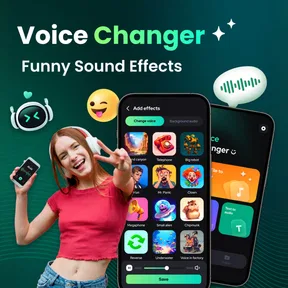
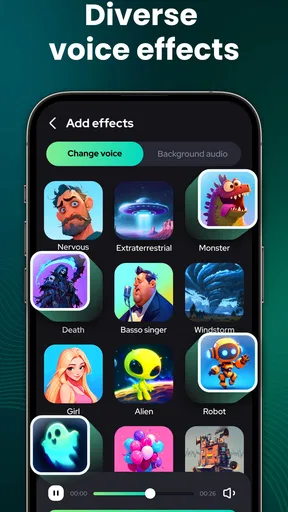
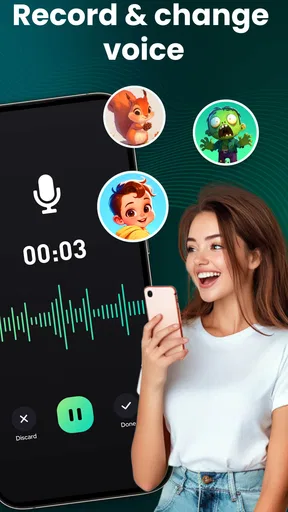
Our Review of Voice Changer - Sound Effects
 Analysis by Appyee
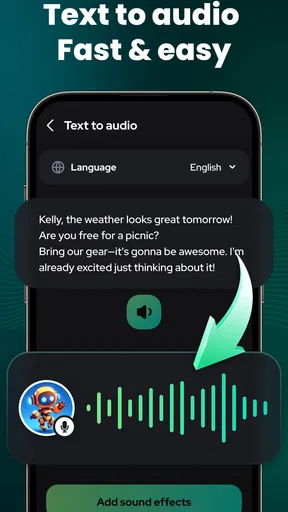
I tried Voice Changer - Sound Effects as a quick way to turn ordinary recordings into playful voice clips, and its main appeal became clear almost immediately: it makes the act of changing a voice feel approachable rather than technical. This is a free Music & Audio app from Hitchhike Tech, aimed at anyone who wants to record, alter, and share something amusing without opening a full audio workstation.
My overall impression is that it works best as a lightweight creative toy with a practical side. You can use it for a joke between friends, a funny message, a short social post, or a simple experiment with how a recording feels after an effect is applied. I would not treat it as a replacement for serious audio-editing software, but I can see why it has attracted a 4.4 average from around 2.3 thousand ratings and more than 500 thousand installs.
Why the voice-changing capability matters
The important feature here is not simply that the app adds effects. The useful part is the short distance between having an idea and hearing a transformed version of your voice. With many audio tools, the creative moment gets lost among tracks, controls, file menus, and technical settings. This app is built around a more immediate question: what would this sentence sound like if I changed its character?
That simplicity changes how I use it. Instead of planning a complete audio project, I can say a short line, try an effect, and decide whether the result is funny or useful. The result is especially effective when the original recording is brief. A greeting, reaction, punchline, character line, or playful response gives the effect enough room to be noticeable without making the clip tiring.
The strongest point is the speed of experimentation. I do not need to understand audio terminology before trying an altered voice. That makes the app friendly for casual users, younger listeners, and anyone who wants a creative result without learning a more demanding editor first.
There is also a difference between changing a voice for entertainment and trying to make it sound professionally produced. Voice Changer - Sound Effects is much closer to the first purpose. Its value comes from recognizable transformation and instant amusement, not from subtle studio correction. If you want a natural-sounding vocal polish, a noise-cleaning workflow, or precise mixing, a dedicated editor will usually be the better choice.
My first practical test: short recordings work best
I found that the experience makes more sense when I treat each recording as a small idea rather than a complete performance. A long speech gives an effect too much time to become repetitive, while a short line lets the change arrive as the punchline. This is one of the easiest ways to get better results without needing advanced controls: write the sentence first, keep it concise, and record it with a clear intention.
For example, a normal “I will be there in five minutes” can become a playful response in a group conversation. A dramatic reading of a harmless sentence can work as a character introduction. A child can record a greeting and hear it transformed, while a creator can test several deliveries before choosing one for a short clip. The app does not need a complicated project around it to be enjoyable.
The free availability also lowers the barrier to trying it. Voice Changer - Sound Effects is listed as free, although optional in-app purchases range from $6.99 to $27.99 per item. That means I would approach it as a try-before-you-commit download: explore the basic experience first, then decide whether the extra purchase is worthwhile for your particular use. I would not pay simply because I expected a professional recording suite; that is not where this app’s appeal lies.
How the workflow feels in everyday use
The natural workflow is simple: record a line, apply a voice treatment, listen to the result, and decide whether to keep experimenting. That sequence encourages quick comparisons. Instead of spending time adjusting a recording before knowing whether the idea works, I can focus on the performance first and let the effect supply the personality afterward.
That order matters more than it may seem. A voice effect cannot rescue a recording that has no clear delivery. Speaking too quietly, rushing the sentence, or leaving a long pause before the important word can make the final clip feel weak. I get better results when I record close to the phone, speak at a steady pace, and put the amusing word near the end of the sentence.
One useful habit is to record several versions of the same line with different moods. I might say it normally, then exaggerate the emotion, then make the delivery deliberately flat. The effect can react very differently depending on the source performance. This gives the app more creative range than simply tapping a filter once and accepting the first result.
Another practical tip is to keep the surrounding sound as controlled as possible. Even when the goal is comedy, a noisy room can distract from the changed voice. A quiet corner, a closed door, or simply moving away from a running television can make the result easier to understand. This is not a special setting inside the app; it is a recording habit that makes its central feature more convincing.
Where the app feels more useful than a full editor
A full audio editor gives more control, but that control can become friction when the task is only to make one funny clip. I would choose this app when I want a fast result on a phone and do not want to manage multiple layers or spend time learning a technical interface. It is also better suited to spontaneous ideas, because the process does not encourage overproduction.
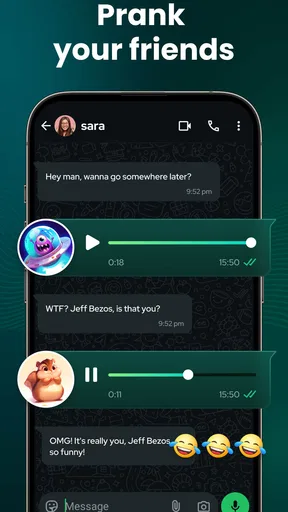
For a family chat, this is a meaningful advantage. Imagine recording a birthday message while waiting for friends to arrive. I can make a normal greeting, try a playful voice, and send the version that gets the biggest reaction. A desktop editor might produce a more refined file, but it would be excessive for that moment. The phone-based workflow matches the casual purpose.
The same applies to simple social content. If I am testing a character voice for a short video, the app can help me decide whether the concept is amusing before I build a larger recording around it. That makes it a useful sketchpad. I can use the altered clip as a rough creative test, then move to a more advanced tool only if the idea deserves careful editing.
However, the shortcut has a cost. The less technical workflow also means less room for precise control. If your goal is to balance music under speech, repair a difficult recording, shape a voice gradually, or maintain a consistent sound across several scenes, the usual alternatives in the category will be more appropriate. A dedicated editor may take longer, but it gives you greater authority over the final result.
A realistic scenario: a message that needs personality
Consider a group of friends organizing a surprise party. One person needs to send a message that sounds mysterious without revealing the plan. I would record a short sentence, try a more unusual voice, listen for clarity, and choose a version that sounds playful rather than confusing. The key is to keep the message short enough that the effect supports the joke instead of overwhelming it.
In that situation, the app is valuable because the creative decision happens quickly. I am not trying to create a polished soundtrack. I am trying to give a familiar sentence a different identity. The transformed voice becomes part of the joke, while the original wording keeps the message understandable.
There is also a useful editing mindset here: record the cleanest version first, even if the final clip will be heavily altered. A clear original gives me a better starting point for comparing effects. If I improvise directly into every attempt, it becomes difficult to tell whether the effect is working or whether the delivery itself changed.
Trade-offs I noticed before recommending it
The biggest limitation is the same quality that makes the app inviting: it is designed for immediacy, not deep production. I would not recommend it to someone who expects the precision of a conventional audio editor. There is a difference between a recognizable novelty voice and a carefully engineered vocal transformation, and users should choose this app with that distinction in mind.
Repetition is another consideration. A voice effect can be hilarious the first time and less interesting after several similar clips. I get more value when I vary the writing and delivery instead of applying the same treatment to every recording. The app is strongest when the effect serves a specific joke or character, not when it becomes the entire content.
In-app purchases also deserve a measured approach. Since the download is free but individual purchases can cost between $6.99 and $27.99, I would first decide how often I expect to use the app. Someone who only wants an occasional joke may be perfectly satisfied with a limited exploration. A frequent creator may see more reason to consider an optional purchase, but only after confirming that the available tools fit their workflow.
The age rating is Everyone, which matches the casual and accessible nature of the concept. Still, I would encourage younger users to treat voice-changing as entertainment rather than a way to mislead people. A funny altered voice is harmless when the context is clear; using it to impersonate someone or create confusion is a different matter. The app itself is best enjoyed openly, with the listener aware that the sound has been transformed.
Privacy and sharing habits are worth thinking about in any recording app. I would avoid capturing private conversations, personal information, or another person’s voice without permission. That advice is less about the effect itself and more about responsible use: once a recording becomes a shareable joke, the people in it should still have control over how they are represented.
When another app is the better choice
I would choose a traditional audio editor for a podcast, an interview, a music project, or any recording where intelligibility and consistency matter more than surprise. Those tools are usually better for trimming exact sections, arranging several sounds, adjusting levels, and refining a result over time. They demand more patience, but that patience is justified when the audio has a serious purpose.
I would also look elsewhere if I wanted a subtle change that preserved the speaker’s natural identity. Voice Changer - Sound Effects is most appealing when the transformation is obvious enough to notice. If the goal is gentle correction or professional voice processing, a tool built around cleanup and controlled adjustments would be a closer match.
On the other hand, I would not replace this app with a full editor for a ten-second joke. That would be like opening a spreadsheet to calculate a small tip: possible, but unnecessarily cumbersome. The right choice depends on whether the recording is a finished production or a quick creative message.
Who gets the most from this app
The best audience is someone who enjoys experimenting with sound and wants a low-pressure way to make short recordings more expressive. It suits casual creators, families, friends, and people who like testing character ideas before committing to a larger project. The Everyone rating and free entry point make it easy to explore without treating the first session as a major investment.
I also think it has value for writers and performers who need a fast character sketch. A changed voice can reveal whether a line feels comic, strange, dramatic, or too obvious. It is not a substitute for acting practice, but it can make an early concept tangible. Hearing a sentence in a different vocal style sometimes exposes whether the joke is in the wording or only in the effect.
People who dislike complicated software may appreciate the directness. The app does not ask me to become an audio engineer before I can have fun. That is a real strength, especially on a phone, where I am more likely to use a tool during a spontaneous moment than during a carefully scheduled production session.
It is less suitable for anyone who needs dependable professional output, detailed sound design, or a large project structure. If you are preparing a long-form recording, building a music track, or trying to make a voice sound naturally polished, I would start with a more specialized alternative. This app earns its place through speed and playfulness, not depth.
Device fit, version, and overall value
The current version is 1.0.3, and it supports Android 8.0 or later. That makes it relevant for people using older compatible Android phones as well as newer devices, although the experience can still depend on how comfortable the phone is with recording and playback. I would check that my device has enough free space and that the microphone produces a clean signal before judging the effects.
Hitchhike Tech has positioned this as a focused Music & Audio app rather than a broad production platform. That focus is helpful: I know what to open when I want to play with a voice. The store summary emphasizes recording, editing, and adding humorous effects, but my recommendation rests less on that promise than on the way the workflow encourages short, repeatable experiments.
After using it, I would recommend Voice Changer - Sound Effects to a friend who wants quick audio humor, character tests, or playful messages. I would explain the purchase range before they explore the optional extras, and I would make clear that a full editor is better for serious work. Its real strength is turning a small spoken idea into an immediately shareable experiment.
That is a narrower purpose than “audio editing,” but it is also why the app can be enjoyable. When I keep the recordings brief, perform the line clearly, and choose an effect that supports the idea, the result feels purposeful rather than random. For casual voice experiments on a compatible Android device, it is an easy recommendation; for precise production, I would point you elsewhere.
Verdict
Strengths of Voice Changer - Sound Effects
- Offers a wide range of fun voice effects and sound filters.
- Simple interface makes recording and editing quick for beginners.
- Lets you preview effects before saving or sharing recordings.
- Useful for creating humorous clips, messages, and social media content.
- Works well for short recordings without requiring advanced audio skills.
Limitations of Voice Changer - Sound Effects
- Some effects or tools may be locked behind in-app purchases.
- Audio quality can vary depending on the phone’s microphone.
- Advertising may interrupt the editing or recording experience.
- Longer recordings may take noticeable time to process and save.
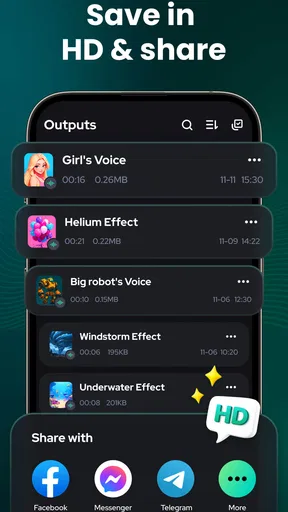
- Sharing options may depend on the apps installed on your device.
Other Releases by Hitchhike Tech
View All
Music Player & MP3 - DDMusic
Music & Audio4.6
Similar Picks in This Category
View All
YouTube Music
Google LLC4.4

Samsung Music
Samsung Electronics Co., Ltd.3.8

Spotify: Music and Podcasts
Spotify AB4.3

JioSaavn - Music & Podcasts
Saavn Media Limited4.3

Lark Player:Music Player & MP3
Lark Player Studio - Music, MP3 & Video Player4.6

StarMaker: Sing Karaoke Songs
SKYWORK AI PTE. LTD.4.3
Frequently Asked Questions
What is Voice Changer - Sound Effects used for?
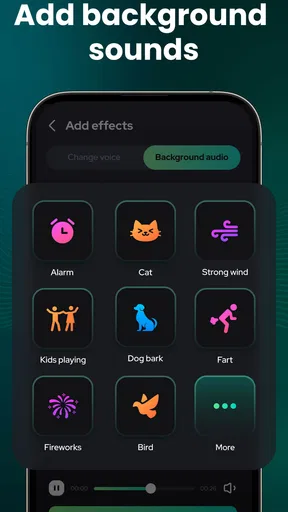
Voice Changer - Sound Effects is designed to modify recorded or live voice audio with different effects, such as robotic, deep, high-pitched, echoing, or character-style voices. After testing the app, its main appeal is casual entertainment: creating funny recordings, sharing altered clips with friends, or adding sound effects to short videos. It is not intended to replace professional audio-editing software.
Is Voice Changer - Sound Effects free to download and use?
The application can generally be downloaded at no initial cost, but the exact free features may vary depending on the Android or iOS version available in your region. Some voice effects, tools, or export options may be restricted behind advertisements or in-app purchases. Before downloading, users should check the store listing for current pricing, subscription details, and whether a trial automatically changes into a paid plan.
Can I use Voice Changer - Sound Effects with live calls or messaging apps?
Users should not assume that the app can change their voice during regular phone calls or inside every messaging platform. Many voice changer applications work mainly by recording audio first, applying an effect, and then saving or sharing the result. Compatibility with live calls, games, social networks, or chat applications depends on the device, operating system, permissions, and the app’s current features.
Does the app require special permissions or an internet connection?
Voice Changer - Sound Effects normally needs microphone access to record your voice and may request permission to save audio files or access selected media. Some features can work offline after installation, while advertisements, cloud processing, sharing tools, or additional effect downloads may require an internet connection. Review the permission requests carefully and deny anything that does not seem necessary for your intended use.
Are recordings created with Voice Changer - Sound Effects private and safe to share?
Privacy depends on how the application processes recordings and on the permissions granted by the user. Avoid recording private conversations, sensitive information, or another person’s voice without consent. Before using the app regularly, read its privacy policy to understand whether audio is stored locally, uploaded for processing, or shared with service providers. Also check every clip before publishing it on social media.
